UX/UI Redesign · Focused Improvement
UX/UI Redesign · Focused Improvement
UX/UI Redesign · Focused Improvement
Geekstravaganza 2025 — Rethinking the Multiverse Experience
Geekstravaganza 2025 — Rethinking the Multiverse Experience
Geekstravaganza 2025 — Rethinking the Multiverse Experience
Overview
Overview
This redesign builds on the original Geekstravaganza 2025 project, where I led the creative direction and core experience design. While the original established a strong visual identity, its structure created friction in navigation and made it harder for users to understand where to go.
This redesign focuses on improving the platform’s information architecture, aligning the experience with how users naturally explore fandom spaces.
This redesign builds on the original Geekstravaganza 2025 project, where I led the creative direction and core experience design. While the original established a strong visual identity, its structure created friction in navigation and made it harder for users to understand where to go.
This redesign focuses on improving the platform’s information architecture, aligning the experience with how users naturally explore fandom spaces.
This redesign builds on the original Geekstravaganza 2025 project, where I led the creative direction and core experience design. While the original established a strong visual identity, its structure created friction in navigation and made it harder for users to understand where to go.
This redesign focuses on improving the platform’s information architecture, aligning the experience with how users naturally explore fandom spaces.
The Challenge
The Challenge
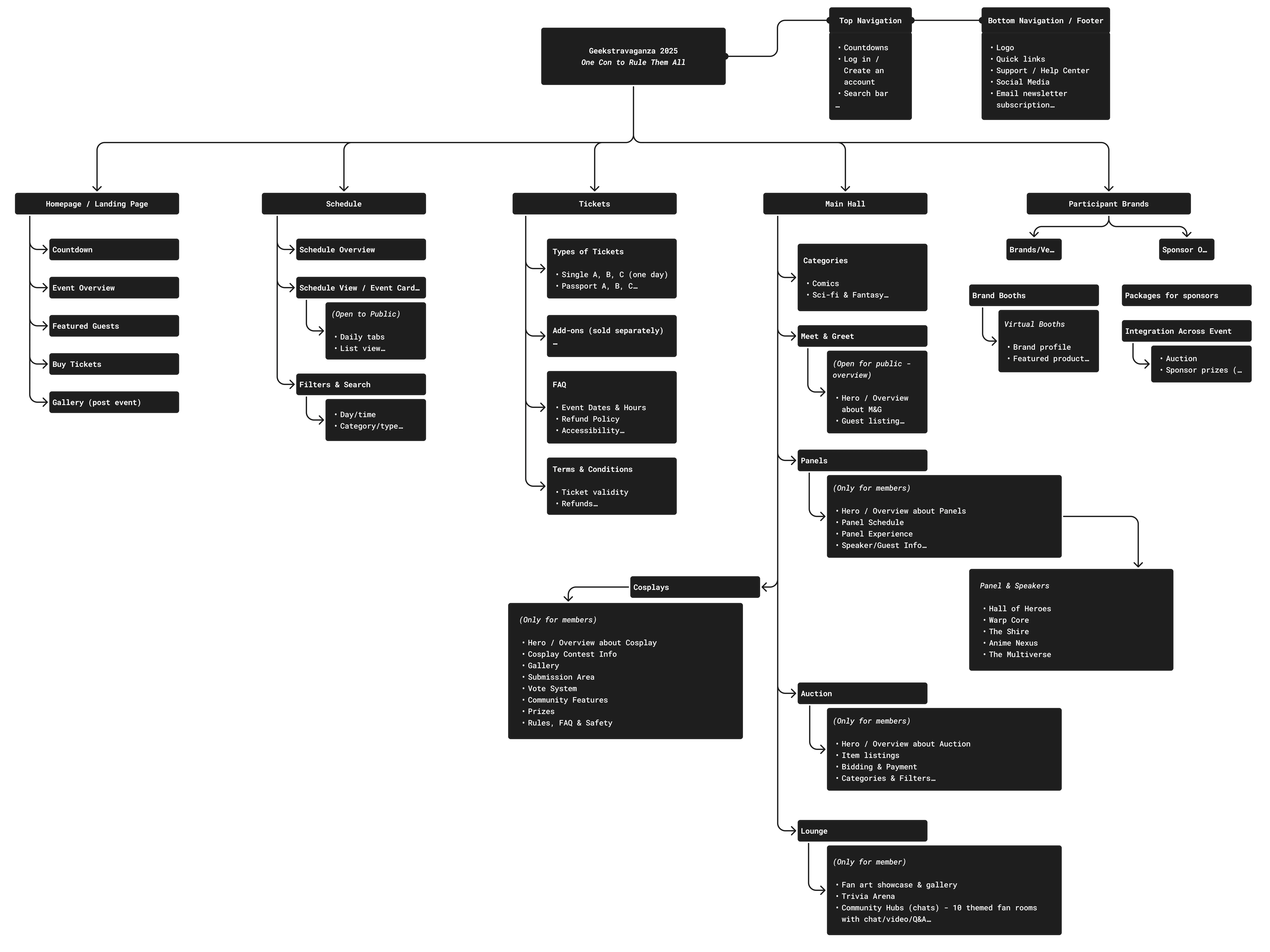
The original structure treated all sections as equal “universes,” forcing users to navigate by features instead of interests. This created friction in navigation and made it harder for users to understand where to start or how to move through the experience. The platform felt fragmented rather than guided.
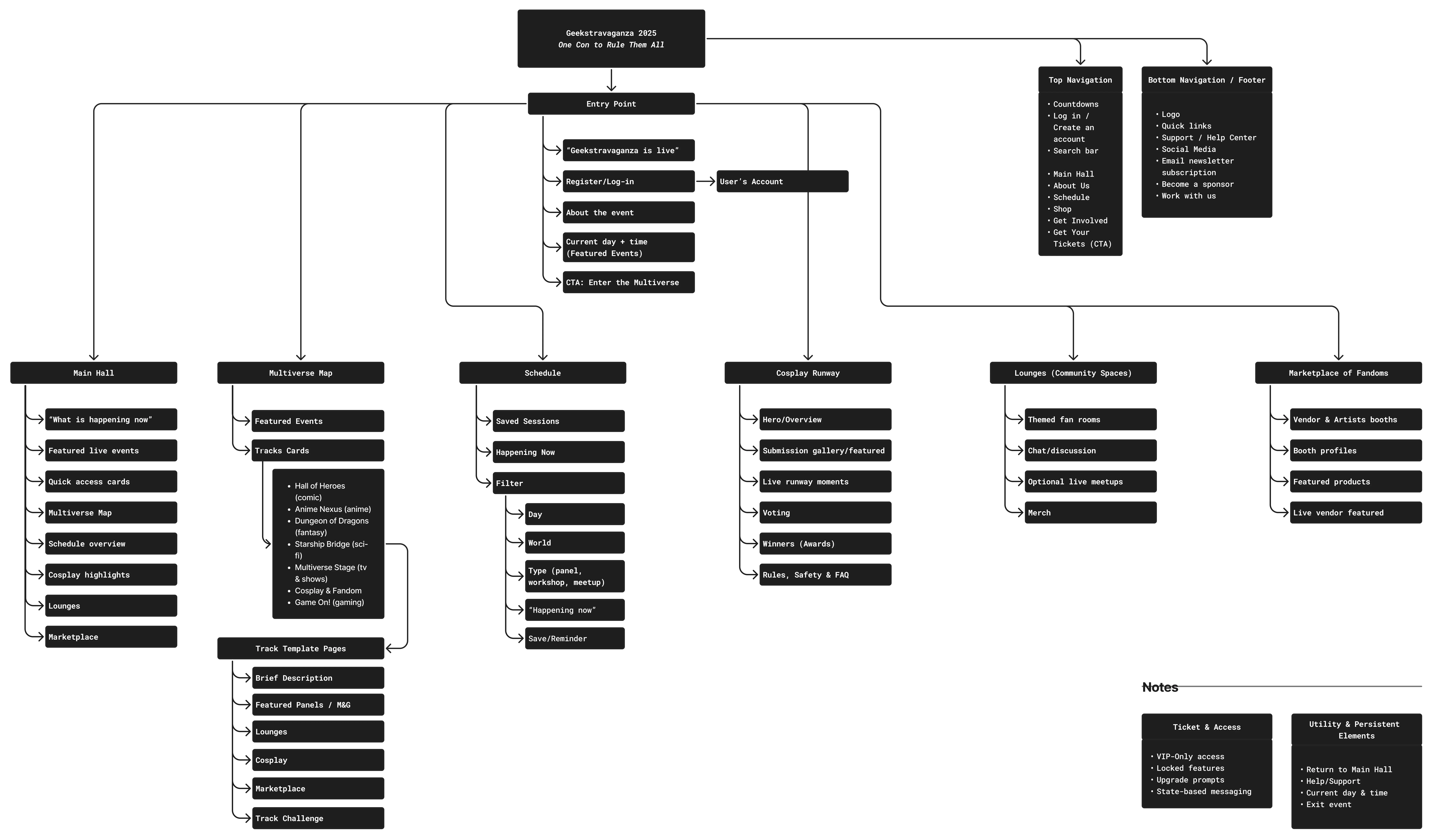
With that, I restructured the platform around a different mental model, shifting from feature-based navigation to a track-based multiverse system.
Timeline
Timeline
Timeline
Jan 2026 — Mar 2026
Jan 2026 — Mar 2026
Jan 2026 — Mar 2026
Role
Role
Role
UX/UI Designer
UX/UI Designer
UX/UI Designer
Product Designer
Product Designer
Product Designer
Tools
Tools
Tools
Figma · FigJam · Figma Make · ChatGPT
Figma · FigJam · Figma Make · ChatGPT
Figma · FigJam · Figma Make · ChatGPT
Skills
Skills
Skills
Interaction Design · Product Thinking · Information Architecture · Design Systems · Prototyping
Interaction Design · Product Thinking · Information Architecture · Design Systems · Prototyping
Interaction Design · Product Thinking · Information Architecture · Design Systems · Prototyping
Restructuring the Experience:
From Features to Fandom Tracks
Restructuring the Experience:
From Features to Fandom Tracks
Restructuring the Experience:
From Features to Fandom Tracks
The original experience treated event features (panels, meet & greet, marketplace, etc) as a primary entry points. However, users typically engage at first the events based on their own interest (anime, comics, sci-fi, etc), not by feature type. With that, I restructured the system to prioritize fandom tracks, allowing users to explore content based on their intersts, while still accessing event features within each track.
The original experience treated event features (panels, meet & greet, marketplace, etc) as a primary entry points. However, users typically engage at first the events based on their own interest (anime, comics, sci-fi, etc), not by feature type. With that, I restructured the system to prioritize fandom tracks, allowing users to explore content based on their intersts, while still accessing event features within each track.
The original experience treated event features (panels, meet & greet, marketplace, etc) as a primary entry points. However, users typically engage at first the events based on their own interest (anime, comics, sci-fi, etc), not by feature type. With that, I restructured the system to prioritize fandom tracks, allowing users to explore content based on their intersts, while still accessing event features within each track.
Map Before
Map Before
Map Before
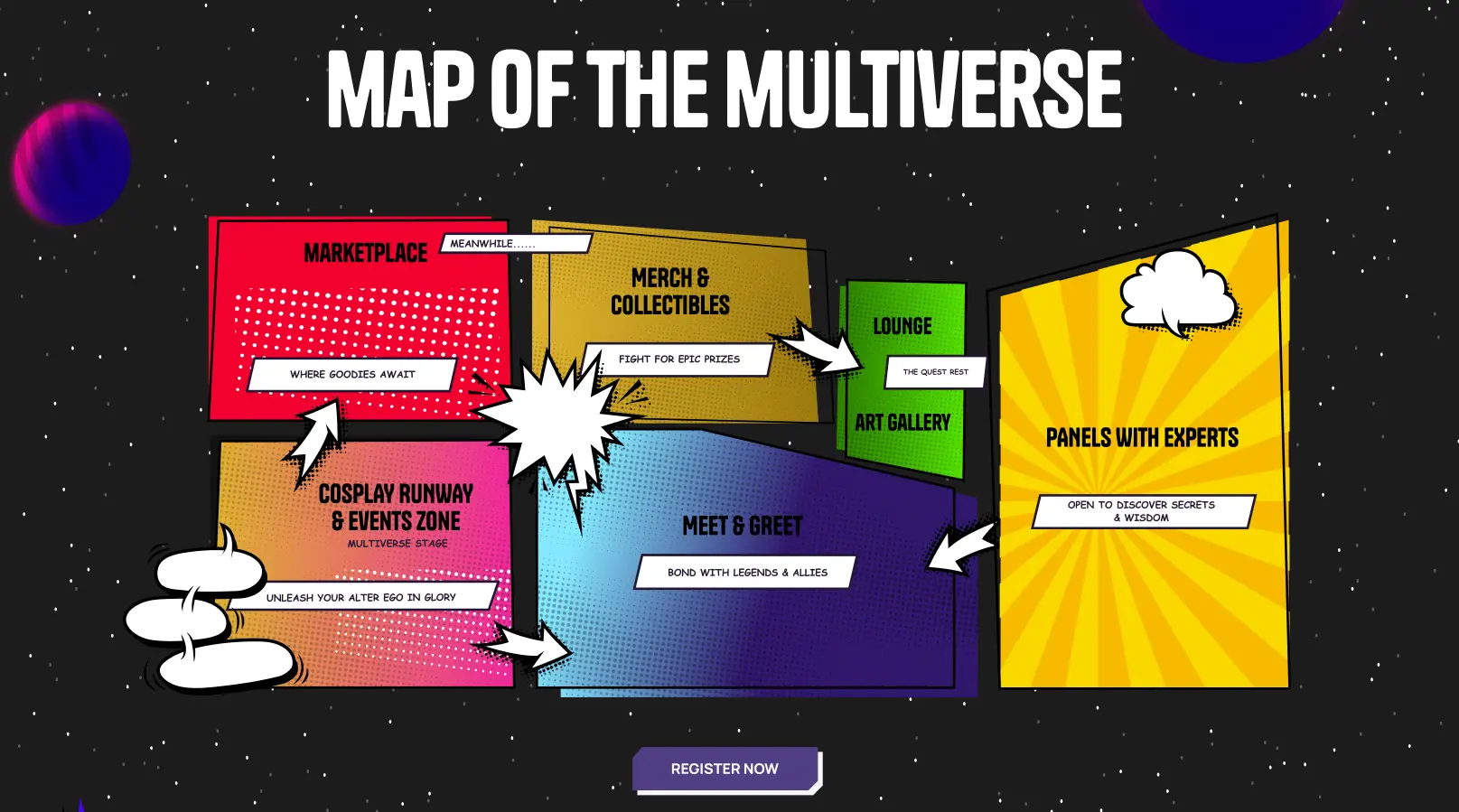
Map After
Map After
Map After
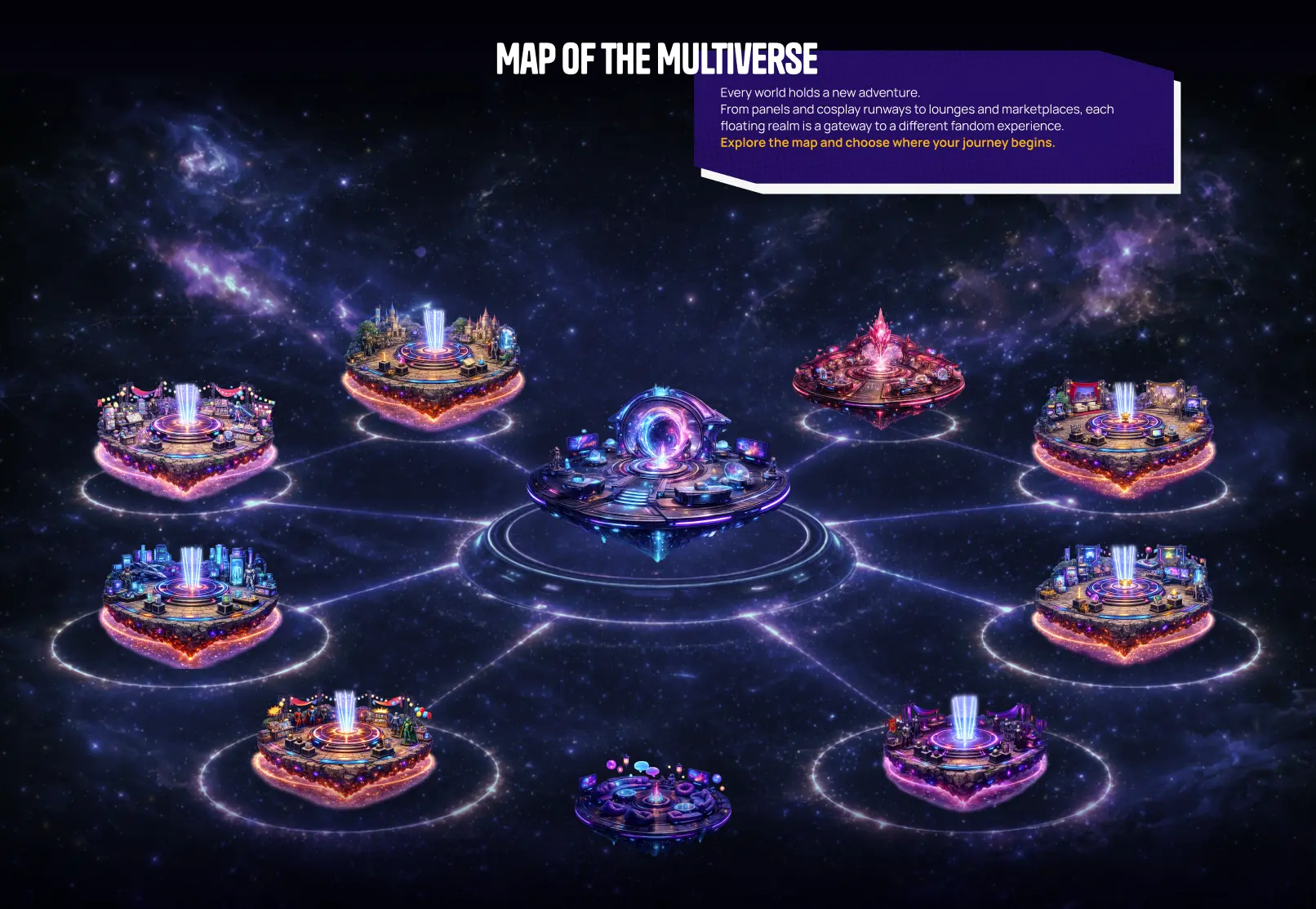
Sitemap Before
Sitemap Before
Sitemap Before
Sitemap After
Sitemap After
Sitemap After
✦
What's New
What's New
What's New
✦
Entry Point
Problem
✦
No clear starting point
✦
No guidance or onboarding
Solution
✦
Created a dedicated entry experience
✦
Introduced narrative + immersion
✦
Clear actions: explore, sign up, buy tickets
Why it's better
✦
Reduces confusion
✦
Builds excitement
✦
Guides first-time users
Track Pages
Problem
✦
Navigation based on features, not user intent
✦
Users had to search across multiple areas
Solution
✦
Introduced track-based navigation (comics, anime, etc)
✦
Unified structure across all pages
Why it's better
✦
Aligns with useer mental model
✦
Reduces cognitive load
✦
Improves discoverability
Map of the Multiverse
Problem
✦
Universes represented features instead of interests
✦
Confusing mental model
Solution
✦
Reframed universes as fandom tracks
✦
Each track contains relevant experiences
Why it's better
✦
Matches users expectations
✦
Easier exploration
✦
Encourages cross-discovery
✦
What's New
✦
Entry Point
Entry Point
Problem
✦
No clear starting point
✦
No guidance or onboarding
Solution
✦
Created a dedicated entry experience
✦
Introduced narrative + immersion
✦
Clear actions: explore, sign up, buy tickets
Why it's better
✦
Reduces confusion
✦
Builds excitement
✦
Guides first-time users
Track Pages
Track Pages
Problem
✦
Navigation based on features, not user intent
✦
Users had to search across multiple areas
Solution
✦
Introduced track-based navigation (comics, anime, etc)
✦
Unified structure across all pages
Why it's better
✦
Aligns with useer mental model
✦
Reduces cognitive load
✦
Improves discoverability
Map of the Multiverse
Map of the Multiverse
Problem
✦
Universes represented features instead of interests
✦
Confusing mental model
Solution
✦
Reframed universes as fandom tracks
✦
Each track contains relevant experiences
Why it's better
✦
Matches users expectations
✦
Easier exploration
✦
Encourages cross-discovery
✦
Rebuilt Sections
Rebuilt Sections
Rebuilt Sections
✦
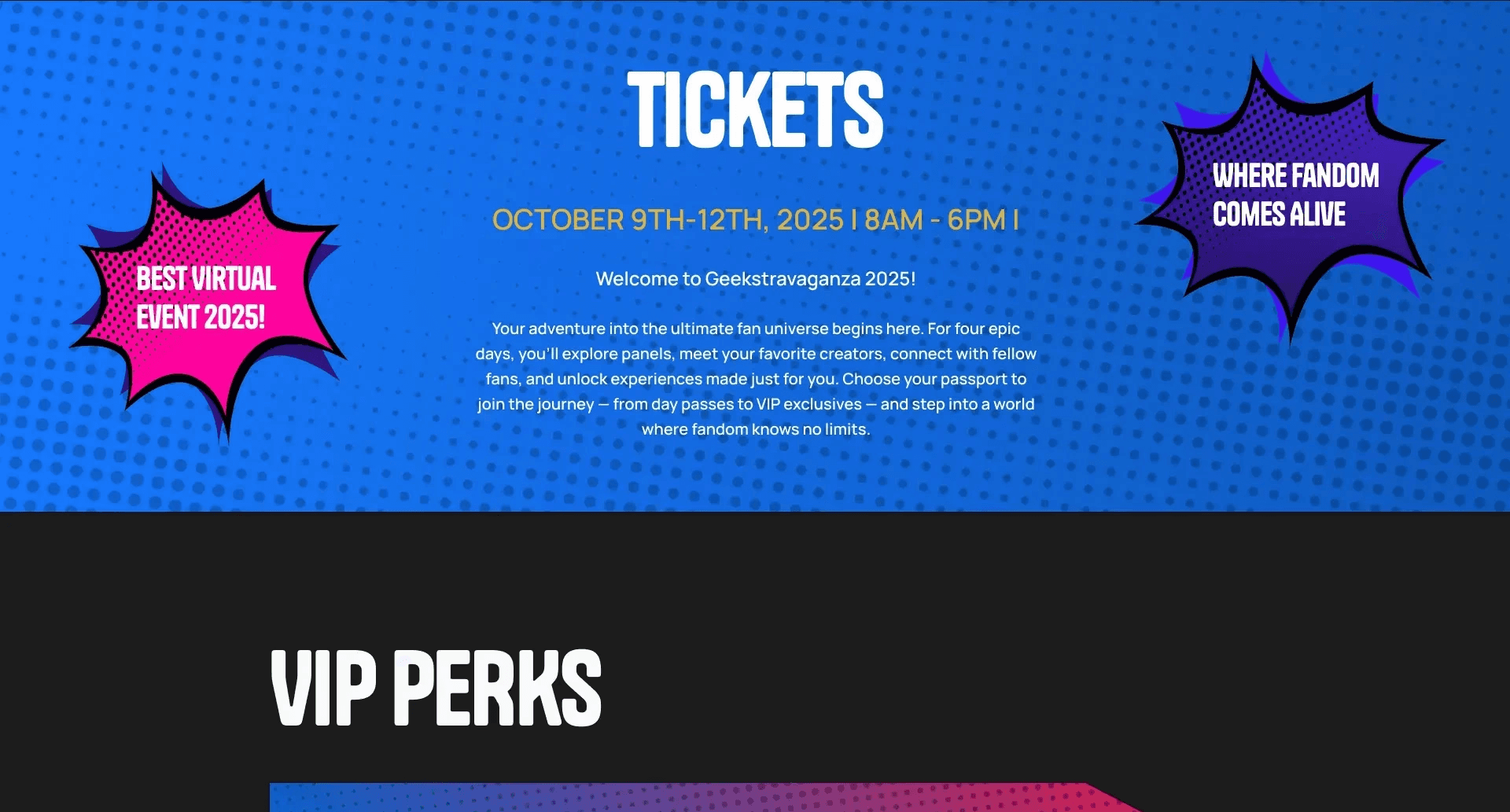
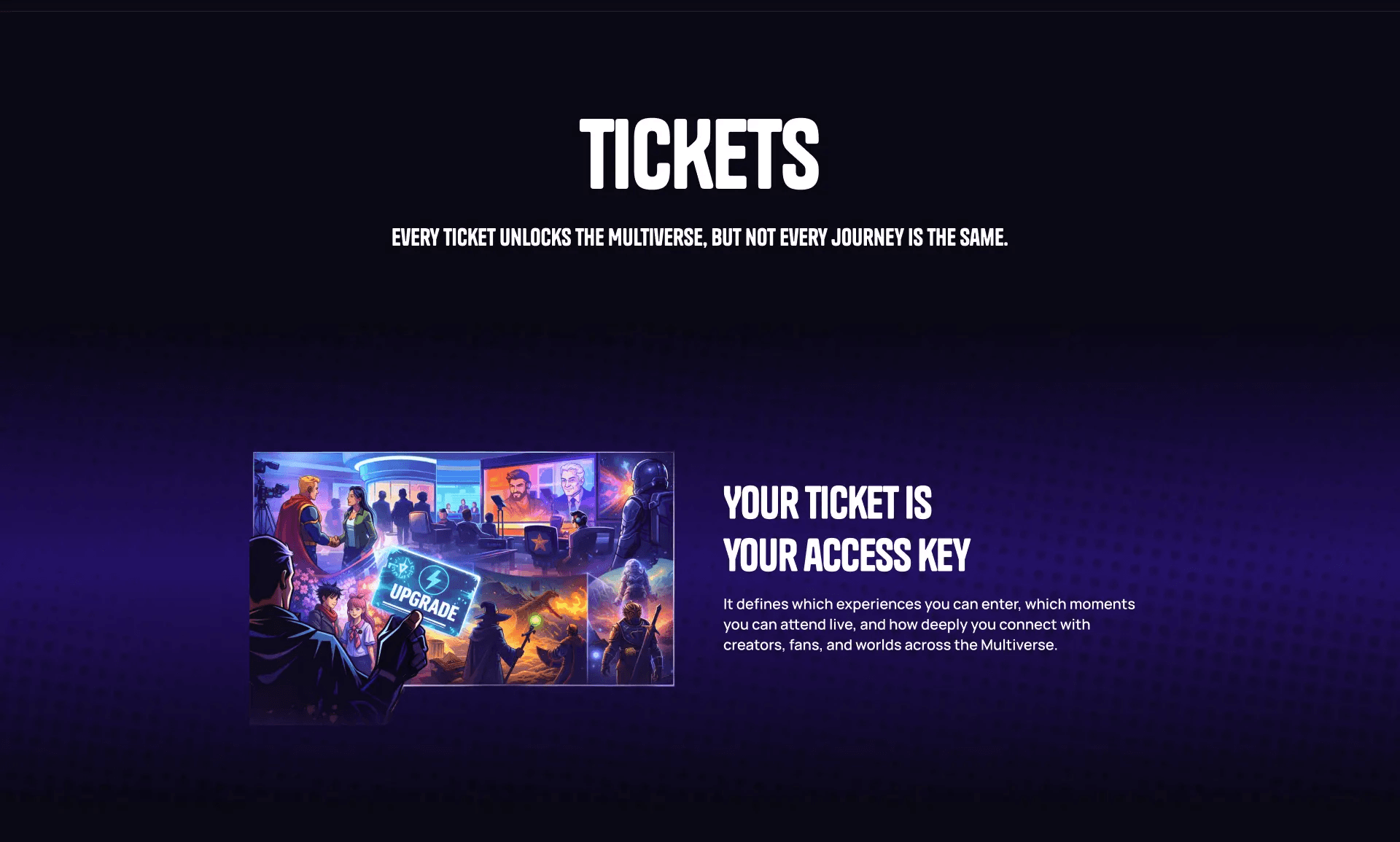
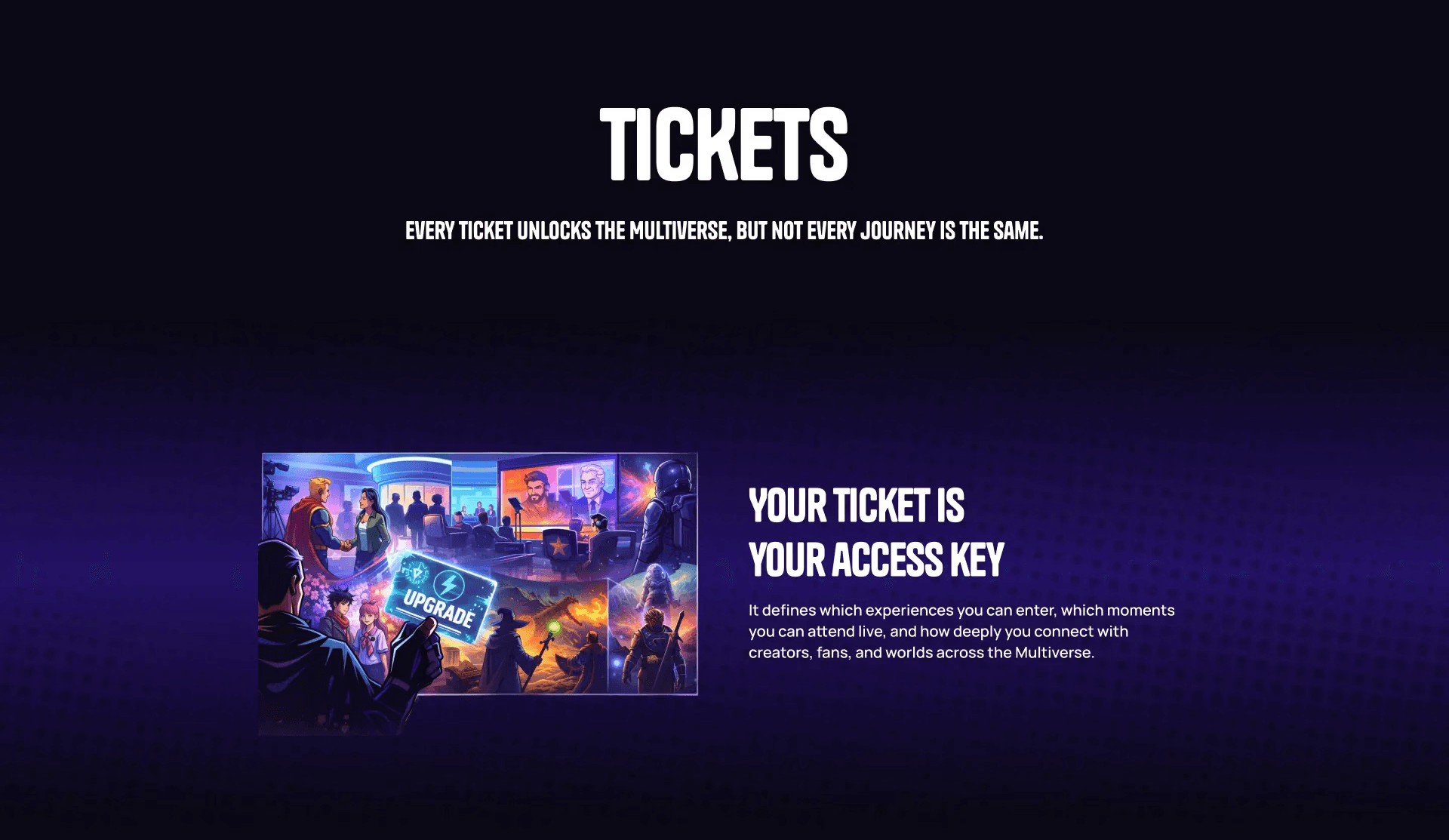
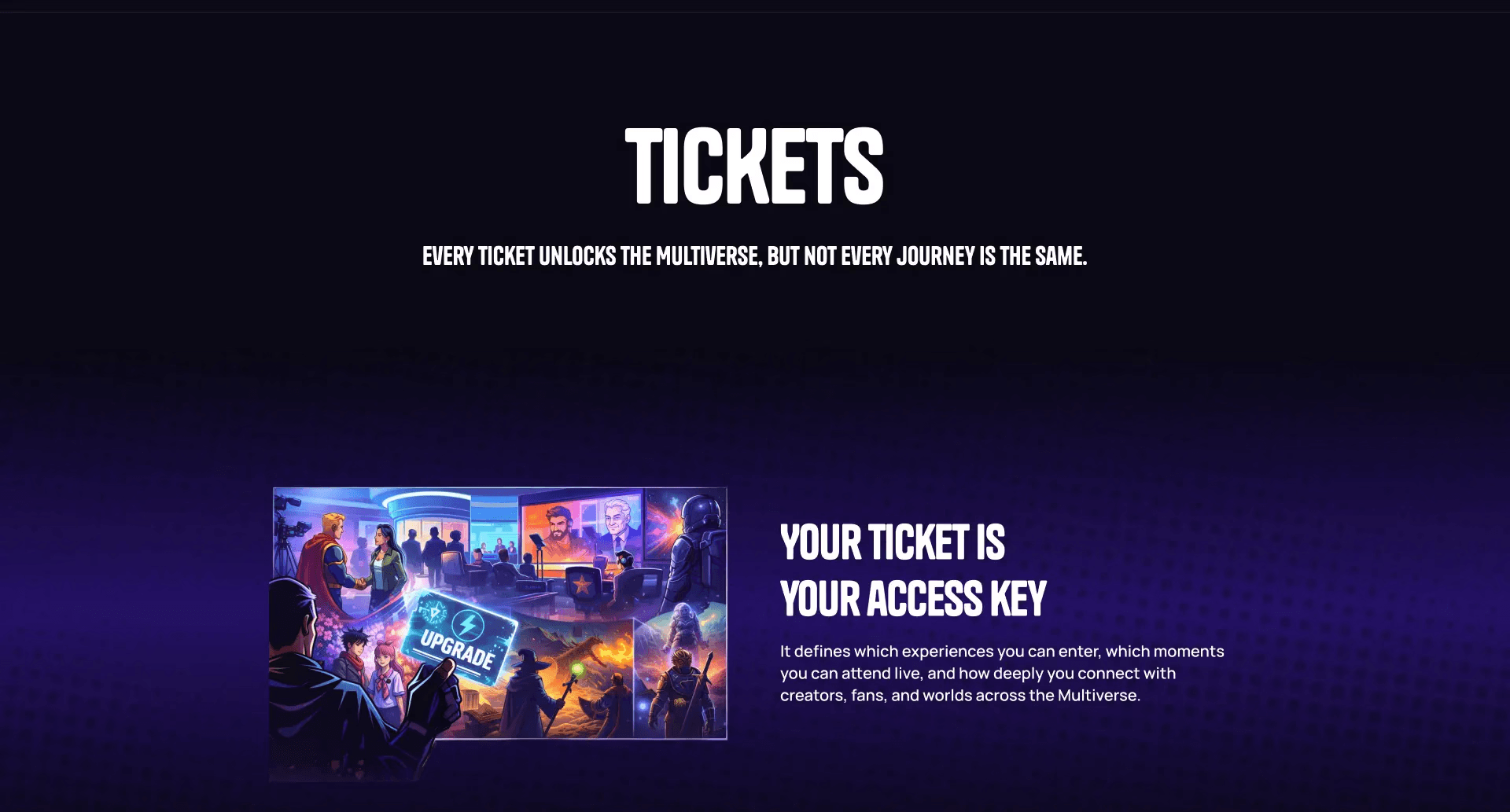
Tickets
Tickets
Tickets
Problem
✦
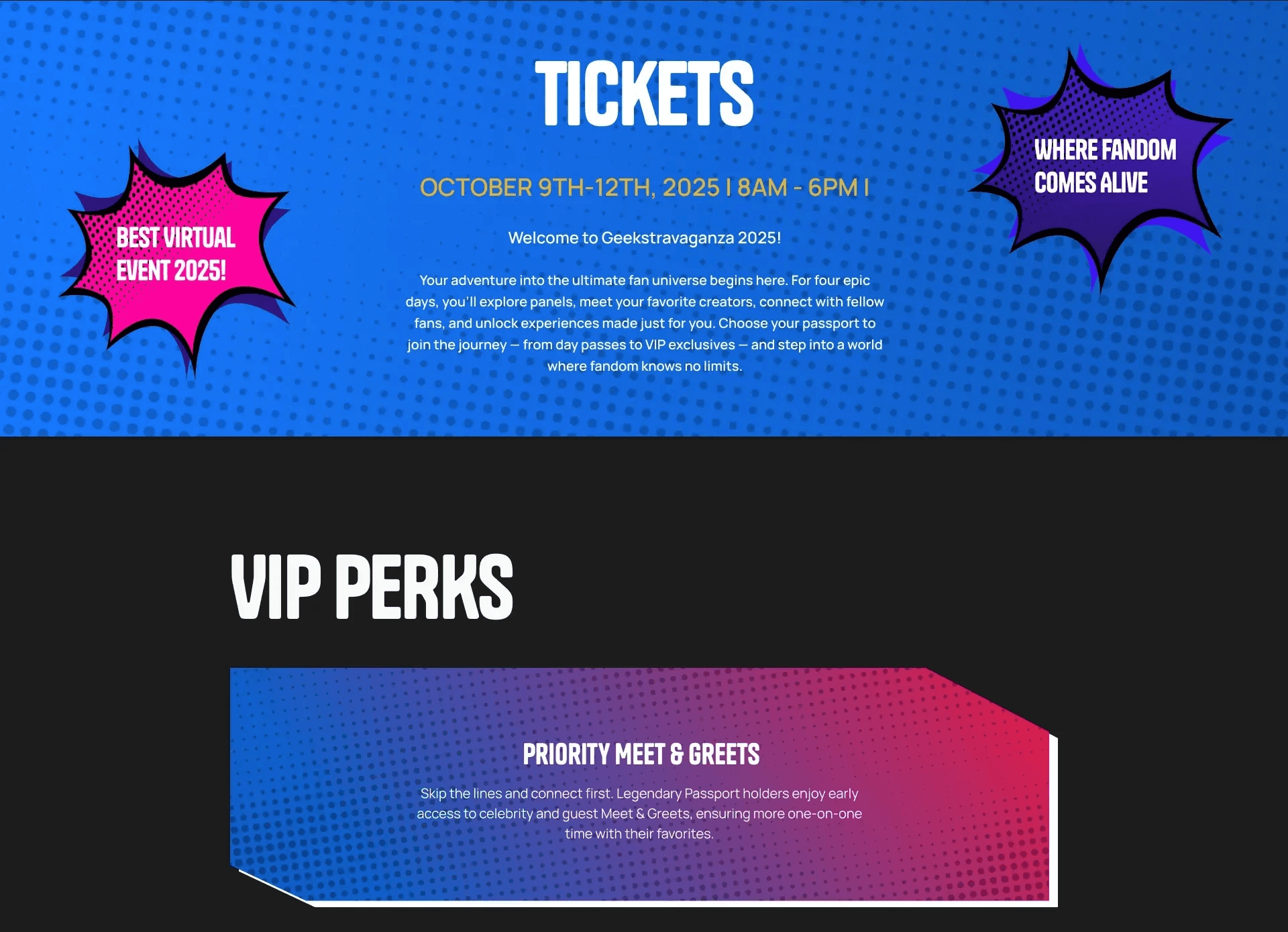
Poor storytelling
✦
Weak value communication
✦
Bad hierarchy
Solution
✦
Reorganized structure
✦
Added emotional + informational layers
✦
Clarified ticket differences
Why it's better
✦
Stronger conversion potential
✦
Better understanding of value
Before
(Click to Expand)
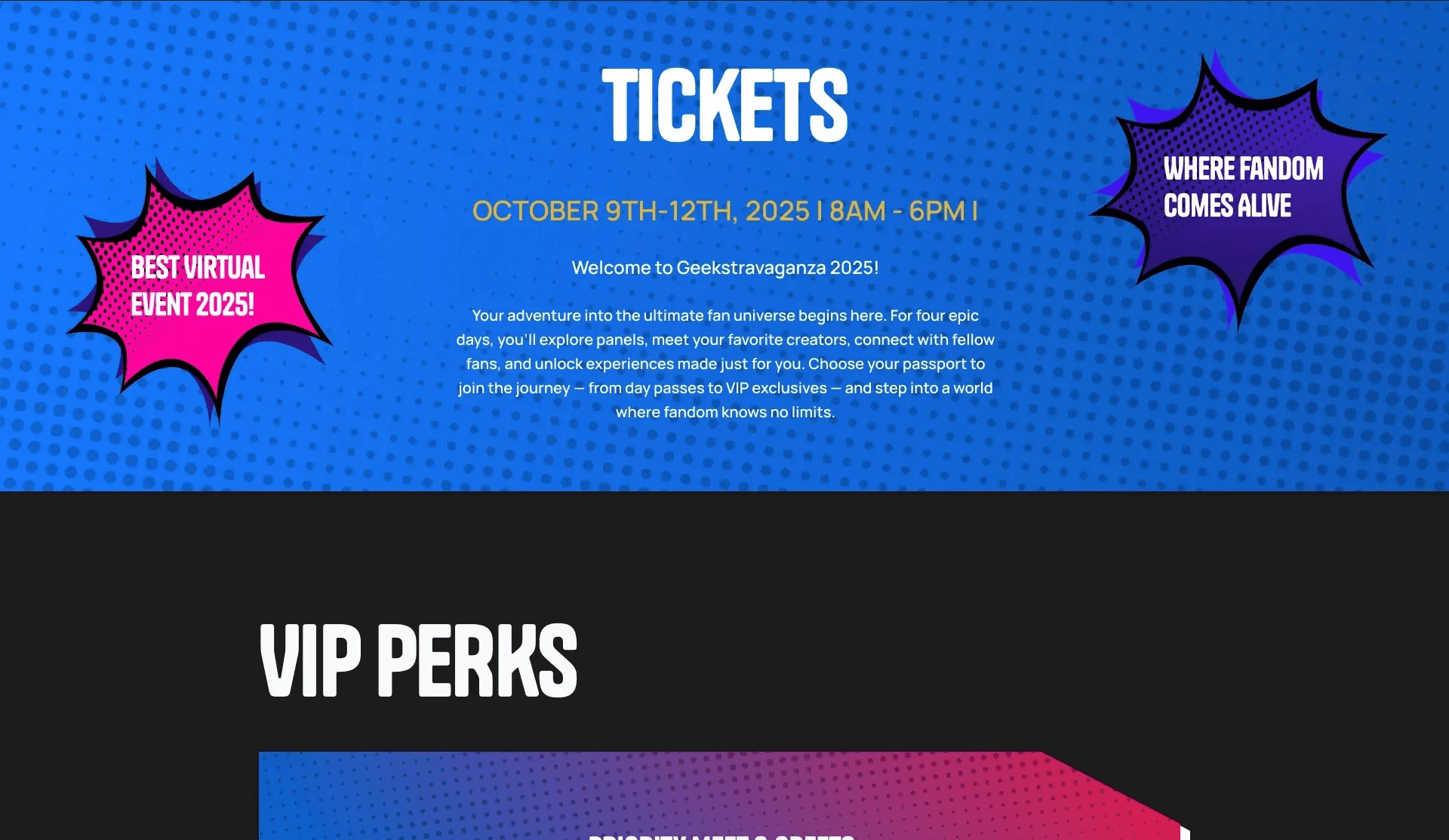
After
(Click to Expand)
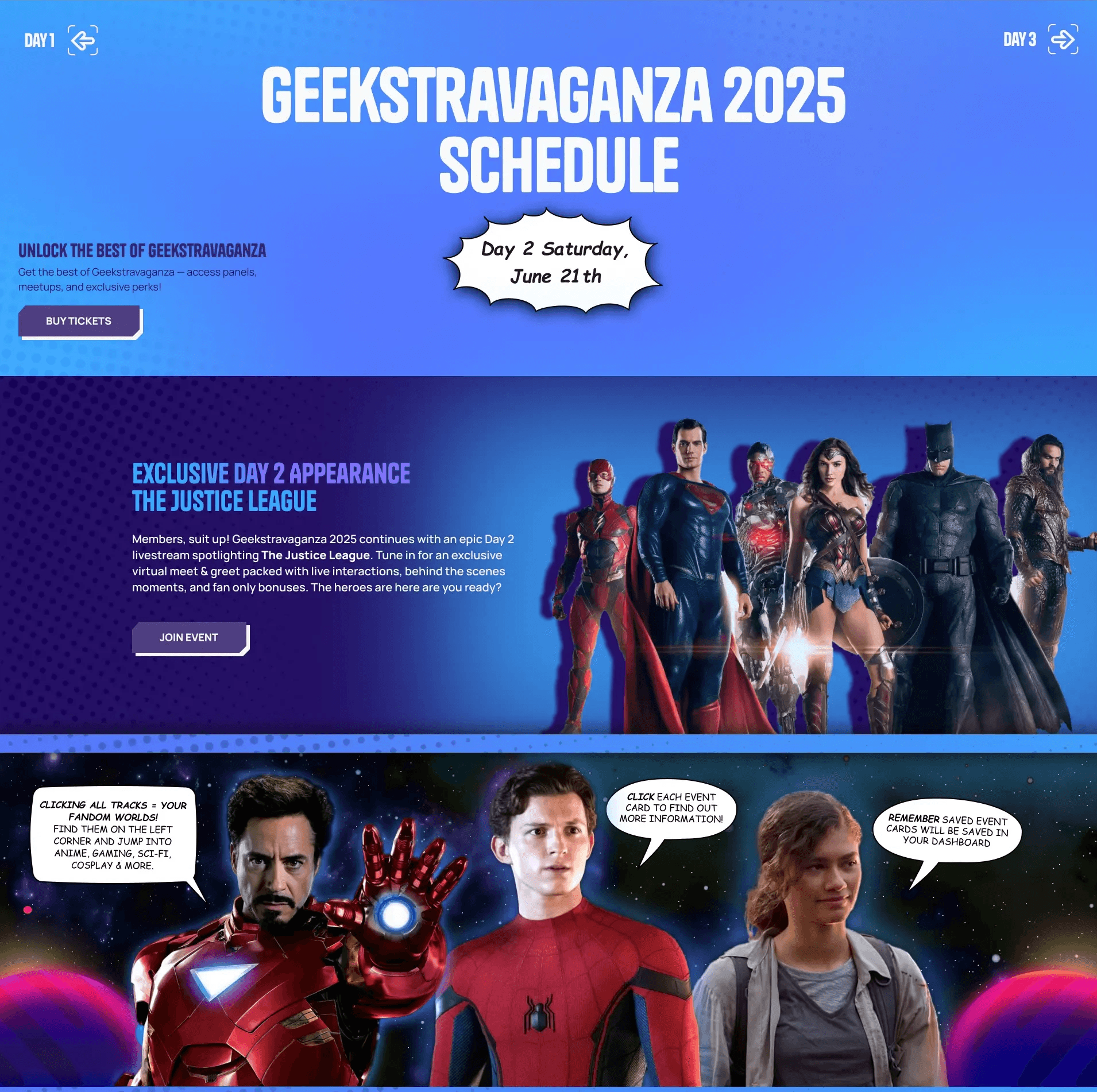
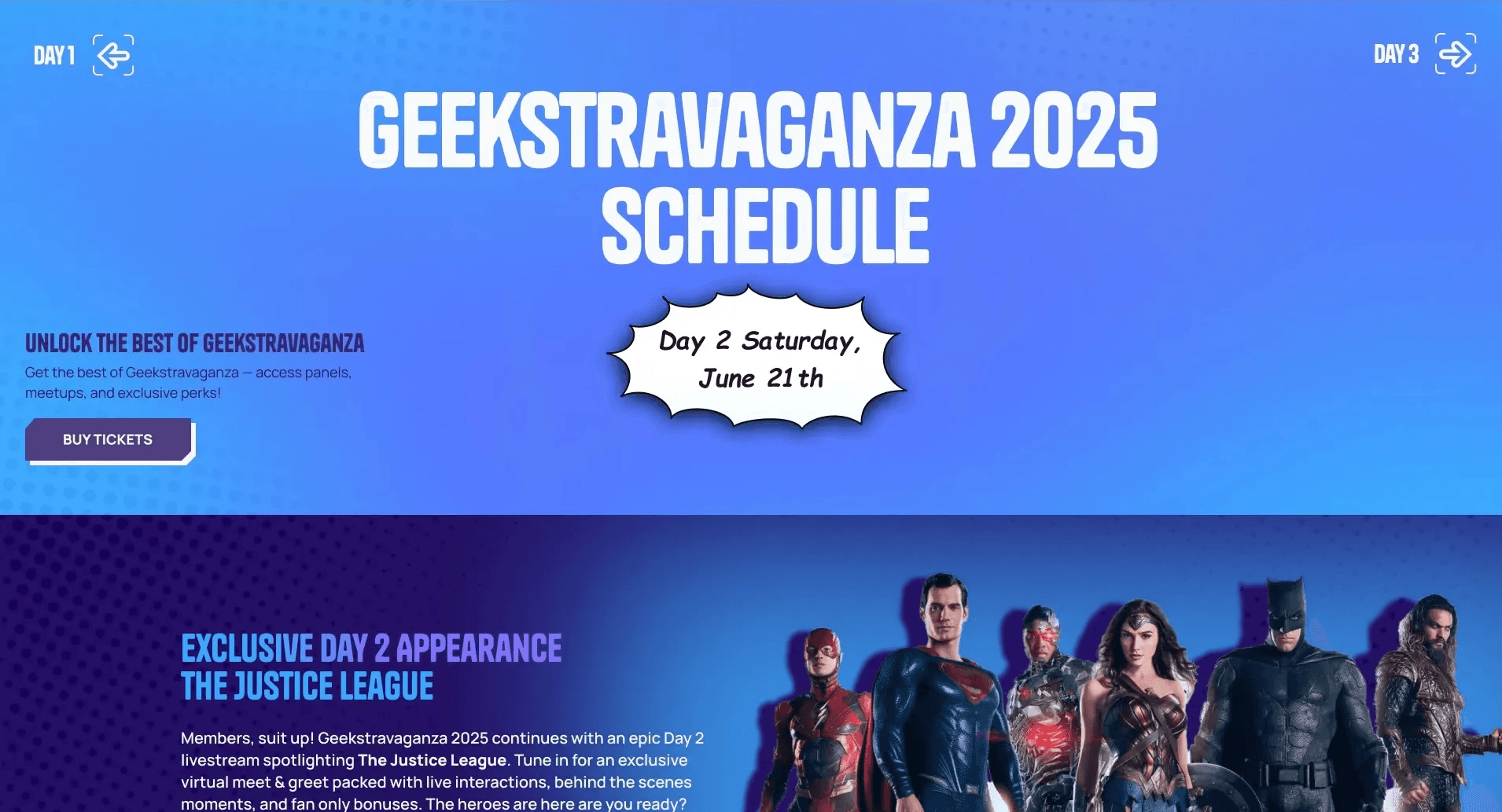
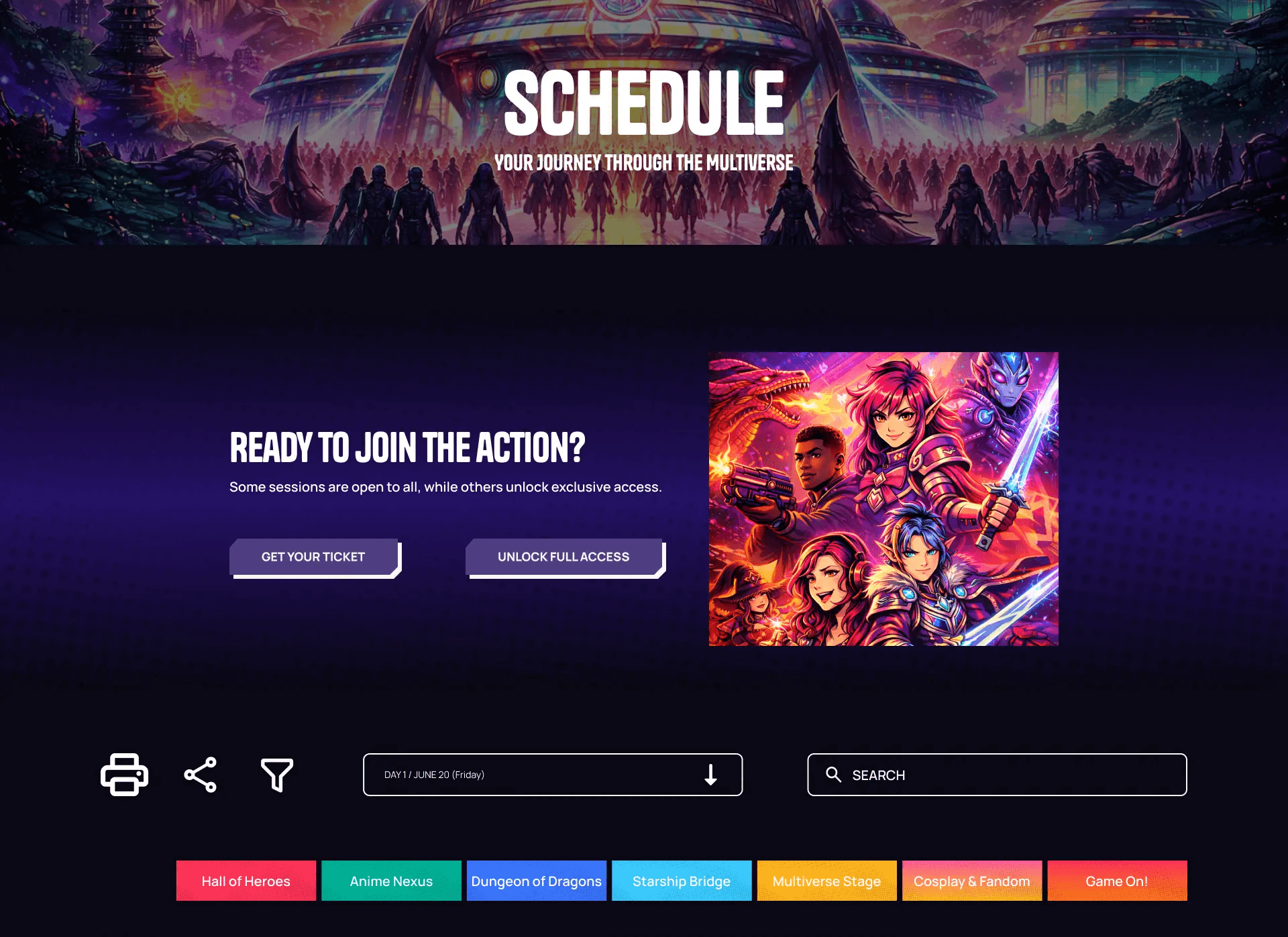
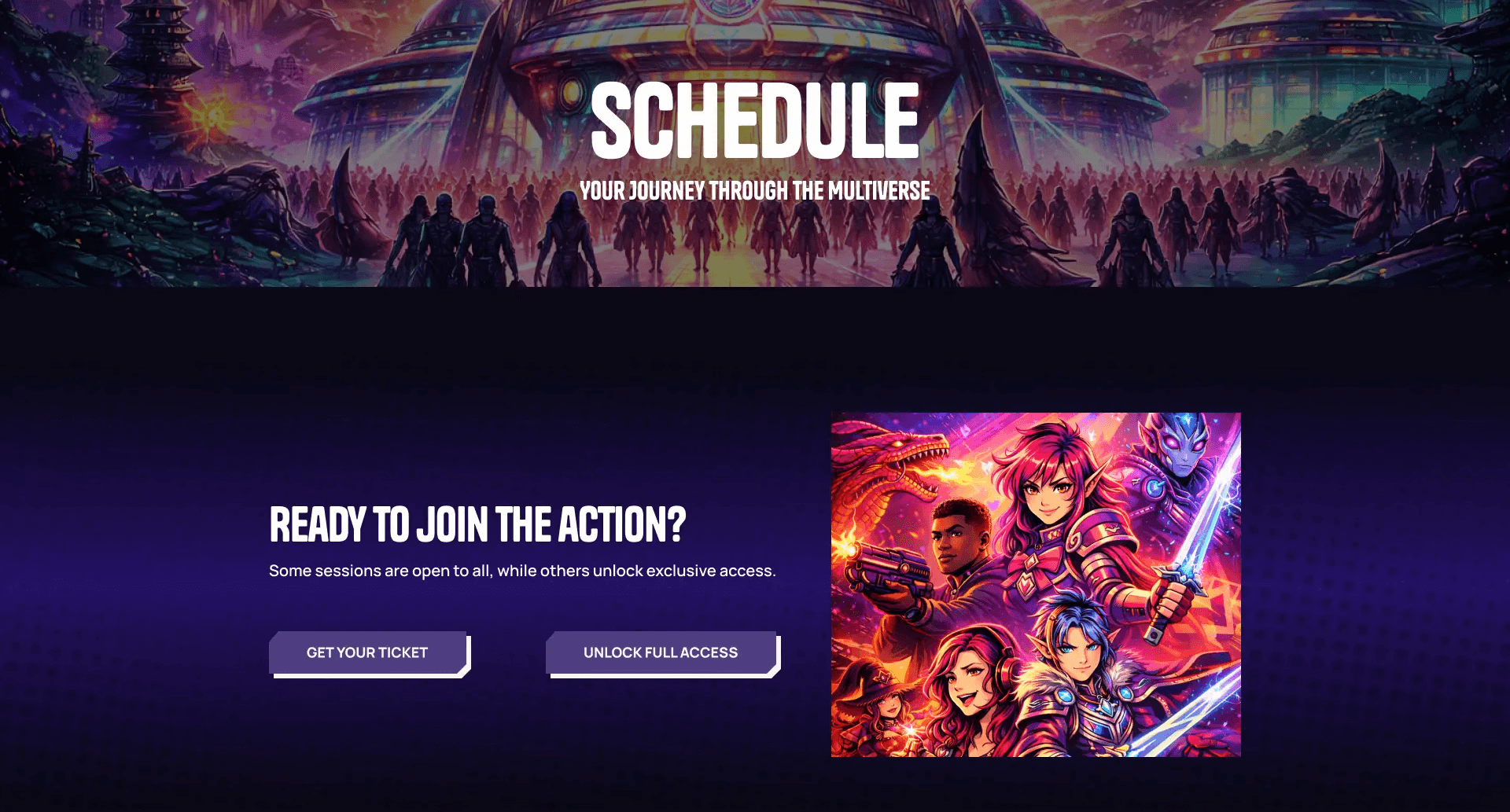
Schedule
Schedule
Schedule
Problem
✦
Multiple long pages
✦
Hard to compare sessions
✦
High memory load
Solution
✦
Single page with filters
✦
Grid layout by time + track
Why it's better
✦
Easy comparison in case of overlapping events
✦
Faster decision-making
✦
Cleaner system
Before
(Click to Expand)
After
(Click to Expand)
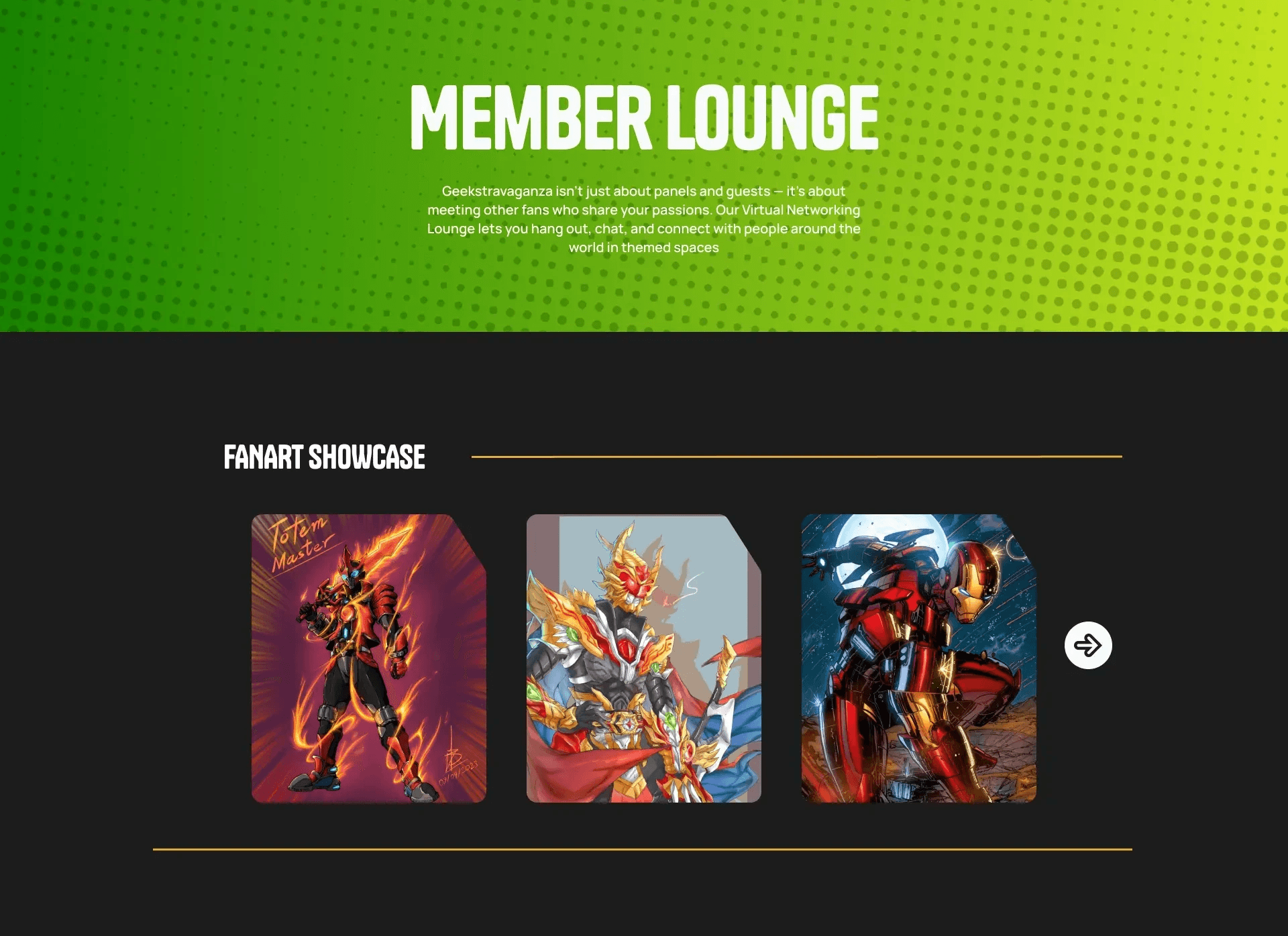
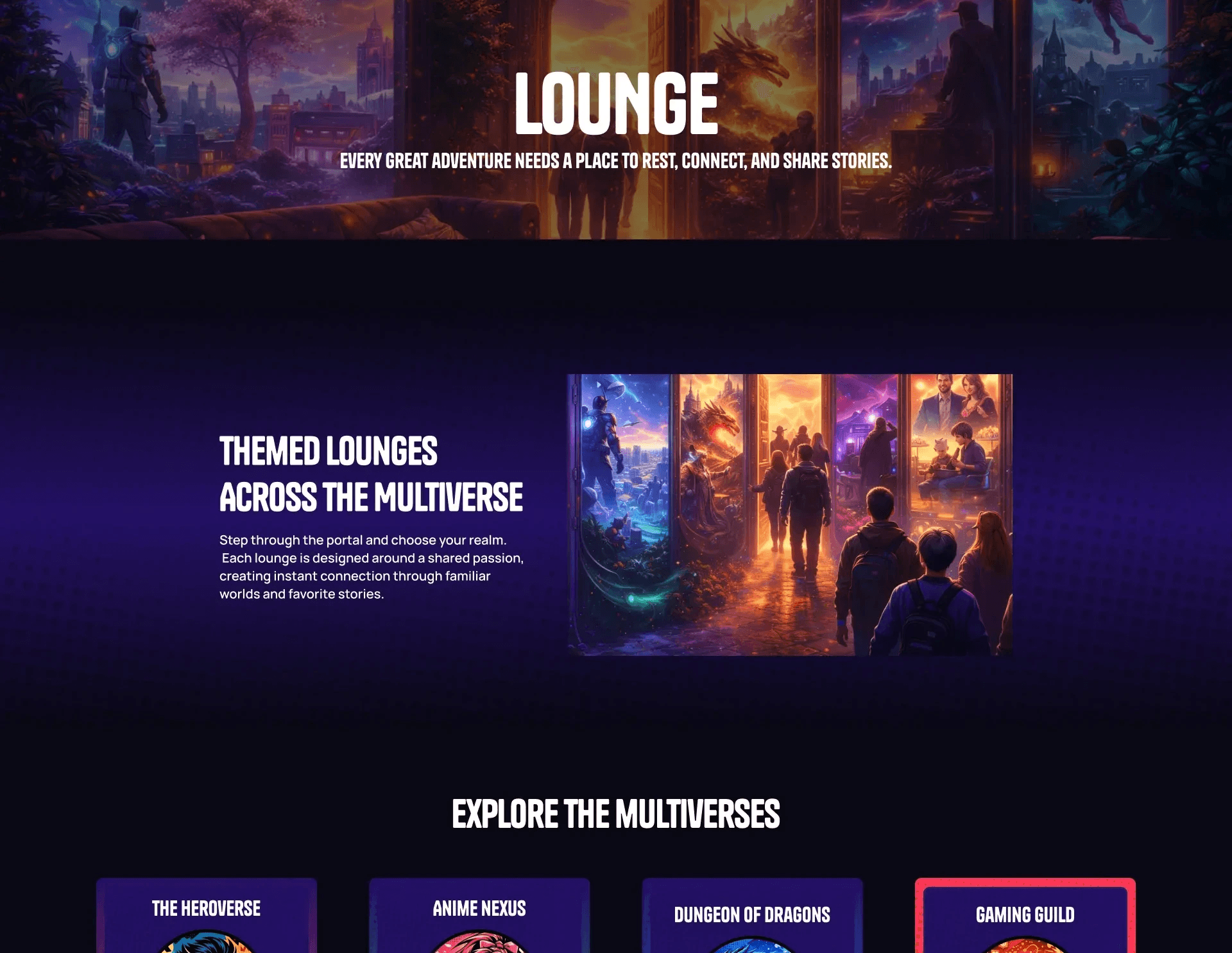
Lounges
Lounges
Lounges
Problem
✦
Felt generic and lacked a clear purpose
✦
Content and interactions were not clearly structured
✦
Did not align well with the multiverse concept
Solution
✦
Redesigned lounges as purpose-driven spaces
✦
Defined clearer content structure within each lounges
✦
Introduced consistent interaction patterns (join, explore, participate)
Why it's better
✦
Gives each lounge a clear role and intention
✦
Makes interactions more understandable and engaging
✦
Creates consistency while supporting different types of experiences
Before
(Click to Expand)
After
(Click to Expand)
Using AI as a Design Tool
Using AI as
a Design Tool
Using AI as a Design Tool
AI supported the design process by accelerating exploration and generating visual directions, but final decisions were always guided by system consistency and user experience.
AI supported the design process by accelerating exploration and generating visual directions, but final decisions were always guided by system consistency and user experience.
AI supported the design process by accelerating exploration and generating visual directions, but final decisions were always guided by system consistency and user experience.
How I Used It
How I Used It
✦
Generated visual assets aligned with the platform’s tone and theme
Generated visual assets aligned with the platform’s tone and theme
✦
Explored multiple interface variations quickly
Explored multiple interface variations quickly
✦
Iterated on compositions before refining in the design system
Iterated on compositions before refining in the design system
What I Controlled
What I Controlled
✦
Consistency with the design system
Consistency with the design system
✦
Visual hierarchy and readability
Visual hierarchy and readability
✦
Cohesion across different tracks and environments
Cohesion across different tracks and environments
Where AI Fell Short
Where AI Fell Short
✦
Outputs often looked strong in isolation but failed within the system context
Outputs often looked strong in isolation but failed within the system context
✦
Required multiple iterations to match tone, hierarchy, and consistency
Required multiple iterations to match tone, hierarchy, and consistency
Key Insight
Key Insight
AI accelerated exploration, but quality came from selection and refinement.
The final result depended on aligning outputs with the system, not generating more options.
AI accelerated exploration, but quality came from selection and refinement.
The final result depended on aligning outputs with the system, not generating more options.
AI accelerated exploration, but quality came from selection and refinement.
The final result depended on aligning outputs with the system, not generating more options.
What Stayed the Same
What Stayed
the Same
What Stayed the Same
Not every part of the system needed to change. The core visual language and design system were already strong and consistent.
Not every part of the system needed to change. The core visual language and design system were already strong and consistent.
Not every part of the system needed to change. The core visual language and design system were already strong and consistent.
What I Preserved
What I Preserved
✦
Dark foundation and high-contrast visual system
Dark foundation and high-contrast visual system
✦
Color-coded track structure for orientation
Color-coded track structure for orientation
✦
Halftone textures and comic-inspired elements tied to the theme
Halftone textures and comic-inspired elements tied to the theme
✦
Core typography and component patterns
Core typography and component patterns
Why It Matters
Why It Matters
Preserving these elements maintained continuity across the platform and allowed the redesign to focus on structure and usability, rather than redefining the visual identity.
Preserving these elements maintained continuity across the platform and allowed the redesign to focus on structure and usability, rather than redefining the visual identity.
Preserving these elements maintained continuity across the platform and allowed the redesign to focus on structure and usability, rather than redefining the visual identity.
Reflection
Reflection
This redesign was not about creating a new visual directions, but about fixing a broken system. While parts of the experience were strong, the overall platform lacked consistency, structure, and a clear logic across pages. The challenge was to unify the experience and redefine how the system worked, not just how it looked.
This redesign was not about creating a new visual directions, but about fixing a broken system. While parts of the experience were strong, the overall platform lacked consistency, structure, and a clear logic across pages. The challenge was to unify the experience and redefine how the system worked, not just how it looked.
This redesign was not about creating a new visual directions, but about fixing a broken system. While parts of the experience were strong, the overall platform lacked consistency, structure, and a clear logic across pages. The challenge was to unify the experience and redefine how the system worked, not just how it looked.
What I learned
✦
Strong systems require alignment, not just individual screens
Strong systems require alignment, not just individual screens
✦
A product can look visually polished but still fail without a clear structure
A product can look visually polished but still fail without a clear structure
✦
Designing sround user intent (fandom tracks) is more effective than organizing by features
Designing sround user intent (fandom tracks) is more effective than organizing by features
✦
Consistency across pages is essential for scalability and usability
Consistency across pages is essential for scalability and usability
outcomes
outcomes
The result is not completely a new product, but a more cohesive and intuitive system. By shifting from feature-based structure to a track-based experience, the platform now:
The result is not completely a new product, but a more cohesive and intuitive system. By shifting from feature-based structure to a track-based experience, the platform now:
✦
Aligns better with how users explore content
Aligns better with how users explore content
✦
Reduces friction in navigation
Reduces friction in navigation
✦
Creates a more consistent and scalable foundation
Creates a more consistent and scalable foundation
Takeaway
Takeaway
Effective design is not just about improving visuals, but about defining the right system. In this project, the biggest impact came from rethinking structure and user flow, not redesigning individual components.
Effective design is not just about improving visuals, but about defining the right system. In this project, the biggest impact came from rethinking structure and user flow, not redesigning individual components.
Explore the Redesign
Explore the Redesign
Explore the Redesign Geeks
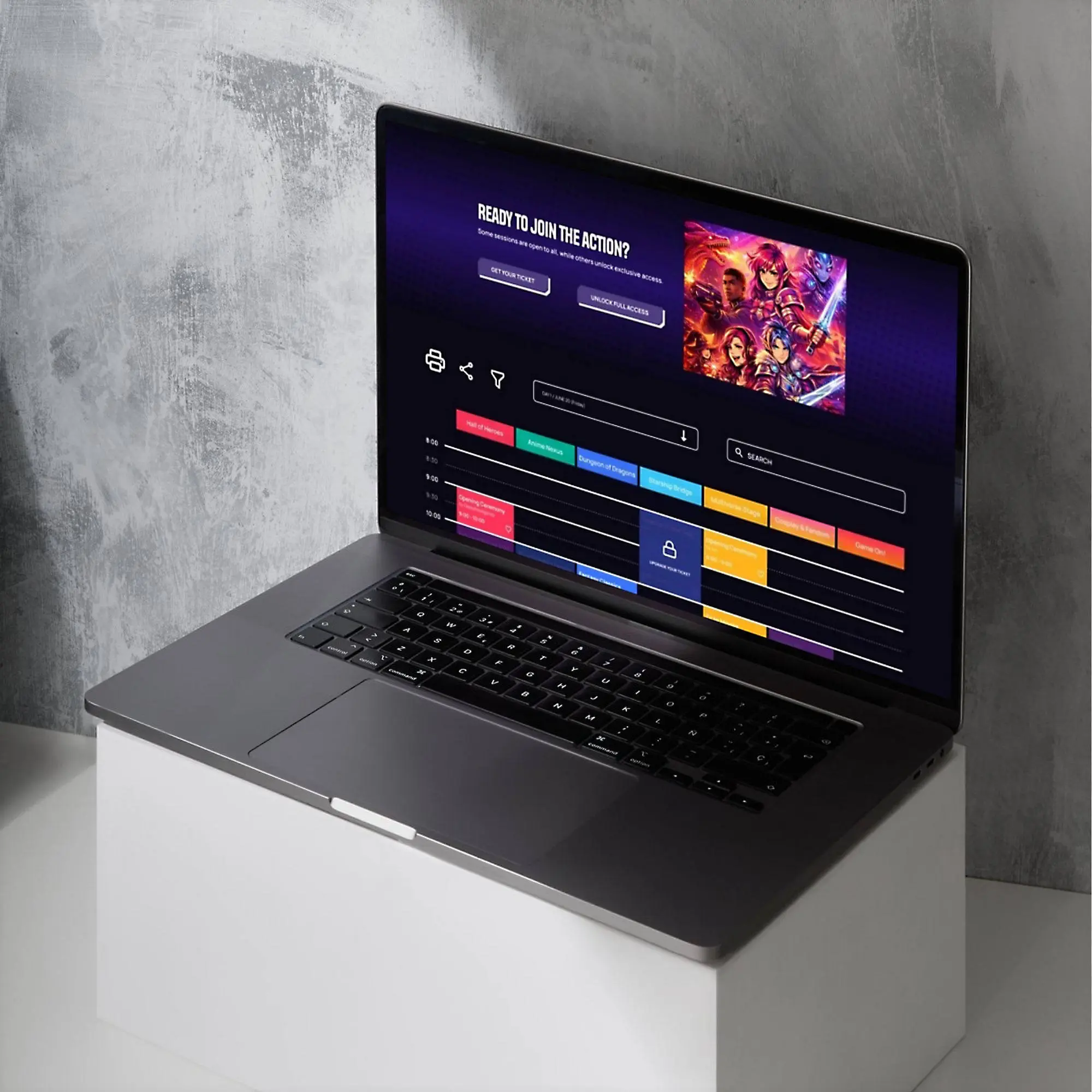
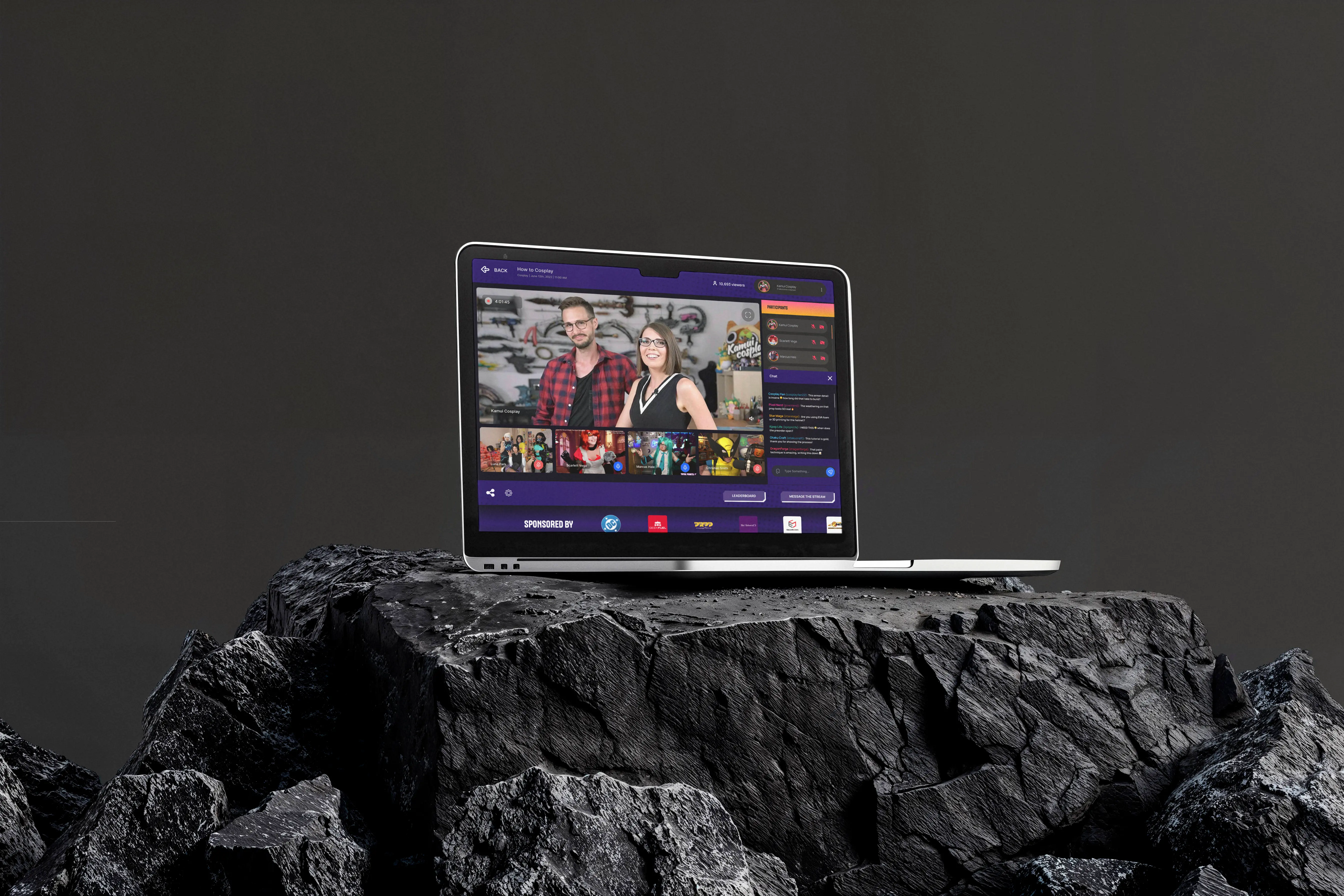
This redesign focuses on improving clarity, navigation, and visual hierarchy across the Geekstravaganza experience.
Explore the updated interface and key layout decisions.
High-Fidelity Screens
A set of high-fidelity screens showcasing the updated layout, navigation, and interaction patterns.